

You count on your data center to always work. Power outages can make big problems happen. New studies say power failures cause over half of all data center shutdowns. As AI and apps that use lots of energy grow, you get more problems. Modern AI data centers use more than 100 megawatts of power. Their energy needs can change fast. High-level ATS gives you control and trust to protect your equipment and keep your systems working.
Key Takeaways
- High-level ATS switches power fast during outages. This keeps your data center working. You do not need to switch power by hand.
- Power systems have backups with ATS. This means less downtime. It protects important IT loads. Customers stay happy.
- ATS needs regular tests and care. This stops failures. It helps keep power working well in data centers.
- ATS protects equipment from power surges and changes. This helps your hardware last longer.
- ATS lets you watch power from one place. You get alerts right away. You can fix power problems faster.
ATS and Power Continuity
Automatic Power Switching
You need a system that acts fast when power stops. ATS gives you quick action and trust. The device checks the main power all the time. If the voltage or frequency drops, ATS switches right away. You do not need to do anything. The switch moves your load to backup power. Your servers and equipment keep working.
An automatic transfer switch (ATS) is a smart device that switches power by itself. It uses special control logic. If the main power fails, the ATS moves the load to another power source.
Here is how ATS works in your data center:
- The ATS checks the utility mains during normal times.
- When it finds a power failure, it turns on the transfer switch.
- It can disconnect from the utility mains before backup (Break-Before-Make) or connect to backup before disconnecting (Make-Before-Break).
- When the backup power is steady, it gives power to your loads.
This keeps your systems working and stops sudden shutdowns.
Redundancy for Data Centers
You want your data center to work, even if something breaks. Redundancy means you have extra systems ready to help. ATS helps you make this safety plan. You can set up your power with different backup levels, like N, N+1, 2N, or 2N+1. These setups follow rules from the Uptime Institute’s Tier Classification System.
Redundant ATS designs lower the chance of downtime. If one power source fails, ATS switches to another right away. Your important IT loads and business apps stay safe. You meet your service goals and keep your customers happy.
Using an automatic transfer power design lowers the risk of downtime. It sends power to backup units right away. This makes your data center more reliable.
Minimizing Downtime
Downtime can cost you money and hurt your reputation. ATS helps you stop these problems. It works with UPS and backup generators to keep your equipment on. When main power fails, the UPS gives instant power. The generator starts in a few seconds. ATS moves your load to the generator when it is ready.
Here are common causes of power problems and how ATS helps:
- Corrosion and damage can make connections weak.
- Controller and relay failures can stop the ATS from working.
- Wiring and installation problems can break power.
| Cause Category | Description | Impact |
|---|---|---|
| Power Quality Fluctuations | Short power dips or bad standby voltage shapes | Server outages, data loss, and money loss |
| Mechanical Failures | Parts wear out or do not get enough oil | More contact resistance, hot spots, and possible burnout |
| Electrical Component Failures | Old parts or overloads can break controllers | Can’t switch by itself, needs someone to fix it |
You can lower these risks by doing regular checks and picking good ATS. This keeps your data center working and protects your money.
Protecting Equipment with ATS
Preventing Surges and Fluctuations
You want your data center gear to stay safe. Sudden changes in power can hurt servers and storage. ATS helps by moving to backup power fast when the main power is not steady. This quick switch keeps your systems working well.
- Changes in voltage can make equipment turn off or restart.
- Power surges can burn parts or make hardware not last as long.
Tip: Using ATS in your data center lowers the chance of damage from power problems. You protect your equipment and keep your systems working.
Reducing Hardware Risks
You face many problems when power goes out. Sudden blackouts can break hardware and mess up files. ATS gives a smooth switch to backup power. This lowers the chance of problems that can hurt your equipment.
- ATS makes sure backup power comes on smoothly, so there are fewer power breaks that can break hardware.
- ATS switches to backup power by itself during blackouts, so important equipment keeps running.
- Losing power can mess up files and hurt security. ATS helps stop these problems and keeps hardware and data safe.
| Risk Type | How ATS Helps | Benefit to You |
|---|---|---|
| Hardware Failure | Smooth power switch | Equipment lasts longer |
| Data Corruption | Keeps systems running | Files and records safer |
| Security Issues | Stops sudden shutdowns | Better protection |
Safeguarding Data Integrity
You need to keep your data safe all the time. Power problems can make you lose data or mess it up. ATS helps by making sure your systems always have power, even during blackouts. The switch to backup power happens by itself, so you do not have to act fast or worry about mistakes.
- ATS makes sure power keeps flowing during blackouts, so you do not lose data.
- It switches to backup power by itself when the main power stops, so your data does not get messed up.
- Using ATS means you do not have to fix things by hand during power problems, which can be risky and cause more data issues.
Note: When you use ATS, you keep your data safe from sudden power loss. Your business keeps running and your information stays safe.
Simplifying Power Management
Centralized Monitoring
You want to watch your data center’s power from one spot. Centralized monitoring lets you see every power source and device. With automatic transfer switches, the system checks power all the time. It switches between power sources when needed. This makes your job easier and keeps your data center safe.
- Automatic switching keeps your data center on during outages.
- Modern UPS systems work with transfer switches to balance loads.
- They also help manage failover.
- Fast switching between main and backup power keeps servers running.
- Real-time monitoring finds problems early, so you can fix them fast.
Tip: Centralized monitoring helps you find issues quickly and keeps your data center working well.
Automated Event Response
You need your data center to act fast when power problems happen. Automated event response means your system switches to backup power in milliseconds. You do not have to do anything or worry about mistakes. The system protects your equipment and keeps everything running.
| Benefit | Description |
|---|---|
| Ensure continuity of power | Switches to backup power in milliseconds during outages, so important loads stay on. |
| Strengthen system safety | Uses interlocks to stop short circuits and keep equipment safe. |
| Optimize equipment lifespan | Smooth switching protects devices from voltage dips and shocks. |
| Enhanced system flexibility | Handles many power sources and lets you use custom control logic. |
Note: Automated event response helps you feel calm and keeps your data center reliable.
Lowering Human Error
You want to stop mistakes, especially in emergencies. Automatic transfer switches do the switching for you, so you do not need to do it by hand. This lowers the chance of human error and keeps your data center safe.
- The system switches power sources without you doing anything.
- You get fast responses to problems, even if you are not there.
- Automation means fewer mistakes and less downtime.
- Reliable power keeps your servers and data safe.
Alert: Automated switching helps you avoid expensive mistakes and keeps your data center running without stopping.
Selecting the Right ATS
Key Features
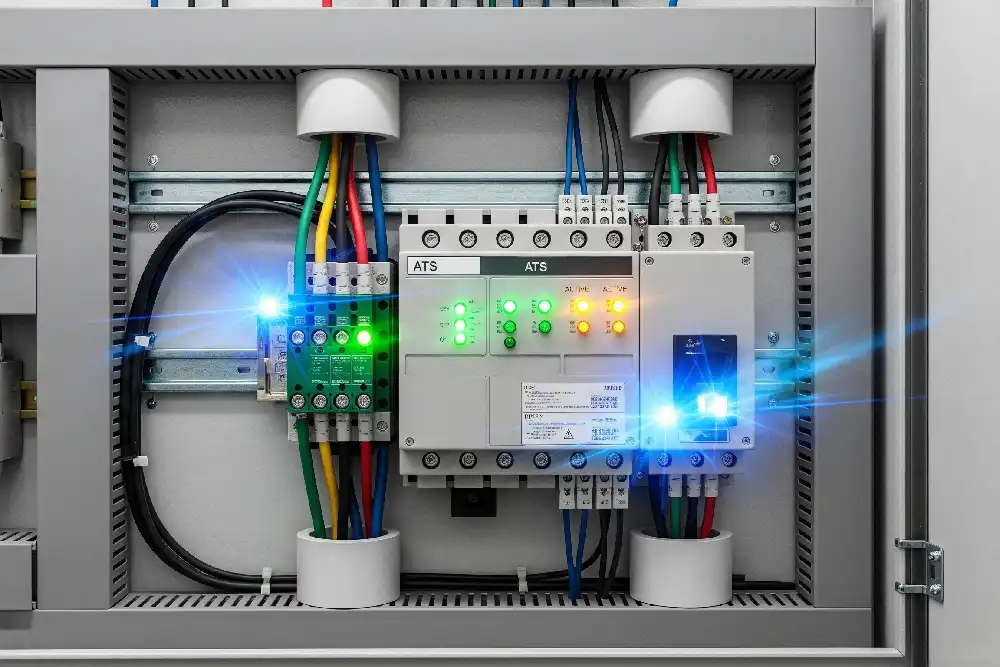
When you pick an automatic transfer switch, you need to check its features. Some features help keep your systems safe and working. Other features make power easier to manage. Here are some things you should look for:
- It should work with your power needs.
- It should have monitoring and real-time alerts.
- It should let you control it from far away.
- You can pick the type of transfer switch you want.
- It should have safety features like interlocks and alarms.
- It should be easy to install in your setup.
- It must handle the loads you have.
Modern switches now have smart technology. Some switches use real-time monitoring and predictive analytics. These features help you find problems before they cause downtime. Some switches work with renewable energy or connect to your building’s system.
| Advancement Type | Description |
|---|---|
| Smart Technologies | Real-time monitoring and predictive analytics for better efficiency |
| Predictive Maintenance | Systems that warn you about possible failures |
| Energy Management | Tools to help you use less energy and add renewable sources |
Sizing and Compatibility
You need to choose a switch that matches your data center’s power size and type. If you pick the wrong size, your system might not work right. Always check the power rating and make sure the switch can handle your full load. Look for switches with UL 1008 or IEC 60947-6-1 certification. These show the switch meets safety rules.
Different switches give you different benefits. Closed transition switches make power changes smooth. Soft load switches lower stress on your equipment. Automatic switches work fast and do not need you to act during an outage.
Maintenance Needs
You need to keep your switch working well. Regular testing helps you find problems early. Most experts say you should test your switch at least once a year. Some data centers test every month to follow rules or stay ready for emergencies.
- Test once a year if your site is mission-critical.
- Some places need monthly tests by law or company rules.
- Always follow the maker’s guide for maintenance.
Tip: Keep records of all tests and repairs. This helps you stay ready and follow safety rules.
You need steady power so your data center works all the time. High-level ATS helps by giving you nonstop power. It keeps your equipment safe and makes power easier to control. You save money because you have less downtime. Your technology also lasts longer. Upgrading your system makes everything work better in many ways:
| Benefit | What You Gain |
|---|---|
| Minimized Transfer Issues | Fast, smooth switching keeps your IT equipment safe |
| Easy Maintenance | You can fix one power path while the other stays on |
| Fast Recovery | Quick switching means fewer outages and better uptime |
| Cost Savings | You do not need to buy extra-large backup systems |
Now is a good time to look at your power system. Upgrading to high-level ATS makes your data center safer and stronger.
FAQ
What does an ATS do in a data center?
An ATS watches your main power source. If power fails, it switches your equipment to backup power. You do not need to act. Your servers keep running.
How often should you test your ATS?
Experts suggest you test your ATS at least once a year. Some data centers test every month. Regular checks help you find problems early.
Can an ATS protect your data from power loss?
Yes. An ATS switches to backup power quickly. This keeps your systems on and protects your files from damage or loss.
What features should you look for in an ATS?
- Real-time monitoring
- Remote control
- Safety alarms
- Compatibility with your power needs
These features help you manage your data center better.
See also
What Is the Full Name of ATS in Electrical Systems
What to Know Before You Purchase an Automatic Transfer Switch
What main factors matter in power capacity planning
What Makes Automatic Transfer Switches Different from Manual Ones
Key Features to Consider When Selecting an ATS for Backup Power
