
Burning odor, smoke or sparks
These signs can point to overheating, arcing, insulation failure or an upstream wiring fault.
Equipment health and replacement guide
The main warning signs of surge protector malfunction are heat, burning odor, sparks, buzzing, melted or cracked housing, damaged cords, loose outlets, and a model-specific fault or replace signal. A dark or red light matters, but its meaning must come from the label and manual—not from color alone.
Stop using a plug-in unit that is hot, damaged, sparking, smoking or smells burnt. Do not open it or keep it powered for testing. For a panel-mounted SPD, use qualified electrical personnel because a dark phase light can also mean lost input power or a connection problem.
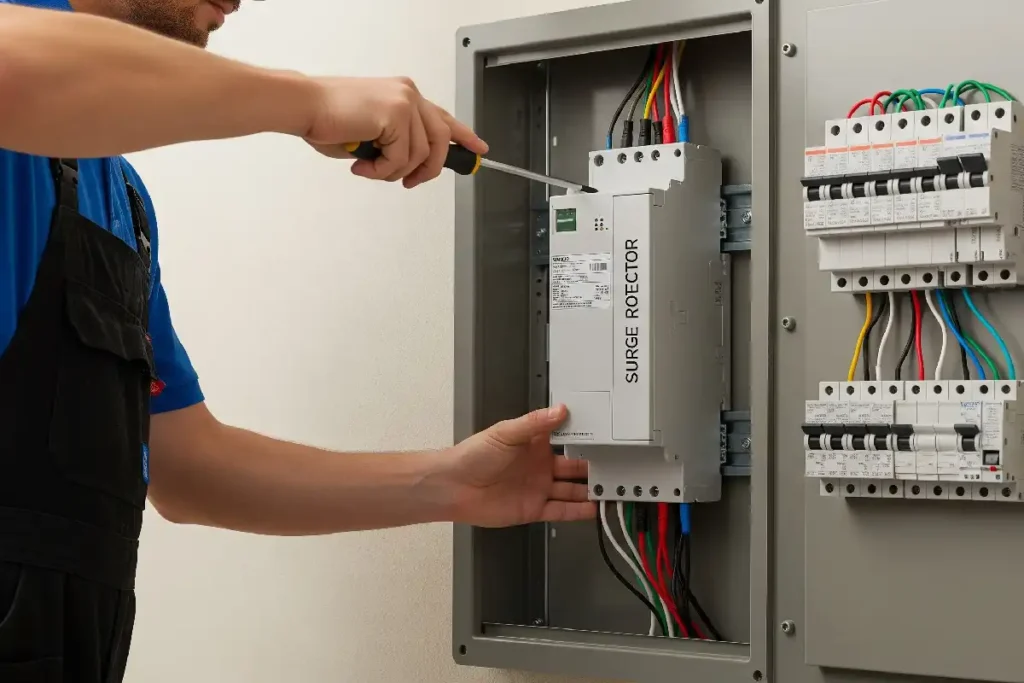
Physical damage and heat are clearer than an unexplained indicator light. If any sign below appears, do not keep the device connected just to see whether it still powers the load.
Move people away and use emergency or qualified electrical support as the situation requires. Unplug a plug-in unit only when you can do so safely without touching damaged parts. Do not approach or open energized panel equipment.
These signs can point to overheating, arcing, insulation failure or an upstream wiring fault.
Brown marks, blisters, cracks and warped plastic are not cosmetic. Remove the unit from service.
Heat can come from overload, a poor contact, a bad receptacle or internal damage. Find the cause.
Frayed, cut, crushed or loose parts can create shock and fire risk. Do not tape or splice them.
A plug that falls out or makes intermittent contact can heat under load. Stop using that outlet.
Unusual sound, moisture or corrosion needs prompt removal or qualified review, not a trial reset.
Eaton advises immediate replacement when a plug-in surge protector, case or cord is discolored, cracked, melted or otherwise damaged.[1] CPSC also says a hot cord should be taken out of use and cracked or worn cords should be replaced.[7]
A damaged SPD may have taken surge stress, but heat can also come from overload, a loose wall outlet, wrong system voltage, poor wiring or a sustained overvoltage. Repeated failure needs a wider electrical review.
A power strip and a plug-in surge protector can look almost the same. Both may have several outlets, a switch and a reset button. Shape alone does not prove that surge-protection components are inside.
Look for a product name, model number, electrical ratings and wording such as “surge protector,” “surge suppressor” or “surge protective device.” Eaton also recommends checking the nameplate and manufacturer documentation.[2]
A UPS is another category. It may include a battery, inverter, transfer function and surge protection. A battery alarm or output fault does not automatically mean its SPD stage failed.
Some surge protectors keep supplying power after the protection stage is no longer available. Other models use automatic shutdown. The exact design and indicator guide control the decision.
| Device | Primary job | Useful visible clues | Do not assume |
|---|---|---|---|
| Power strip | Adds outlets from one supply point | Switch, overload reset, cord and receptacles | That it includes surge protection |
| Plug-in surge protector | Point-of-use transient protection | Model, SPD marking, power/protected/ground lights | That every light has the same meaning |
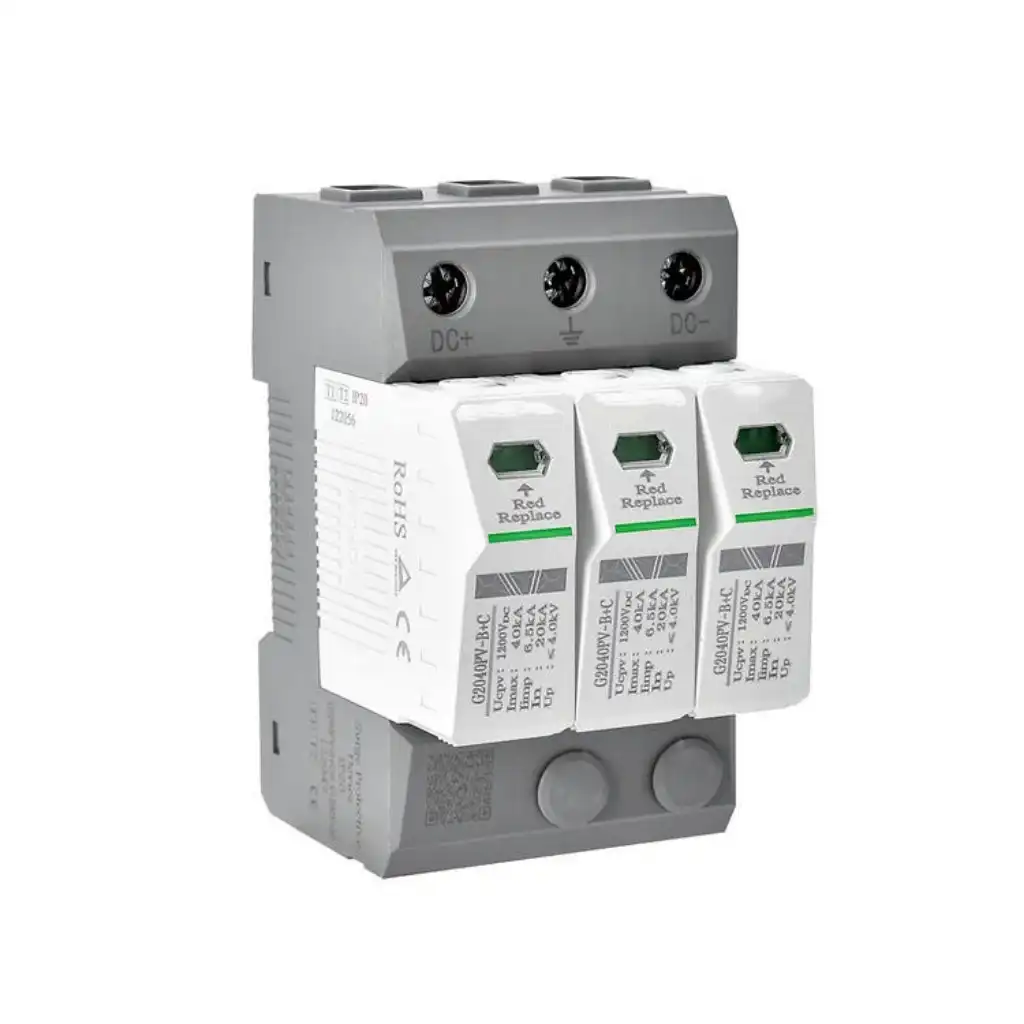
| Panel-mounted SPD | Protects at a distribution or equipment circuit | Phase LEDs, fault light, replace flag, alarm contact | That an unlit LED proves internal failure |
| UPS with surge protection | Backup/conditioned power plus listed features | Battery, input, output, bypass and fault status | That a UPS alarm identifies the SPD stage |
There is no universal color code for every surge protector. The word beside the light, the exact model and the official status table matter more than color.
On some products, green shows protection is available. On another, it may show only that power is present.
Some models use red for fault or end of life. Others use red for power, overload or a different alarm state.
An off light can point to lost input power, a phase or connection issue, failed electronics, or loss of protection.
| Observed label or light | What it may report | First decision | Replacement direction |
|---|---|---|---|
| “Protected” light off | Protection stage unavailable, no input or another model state | Read the exact manual | Replace when the instructions define this as loss of protection |
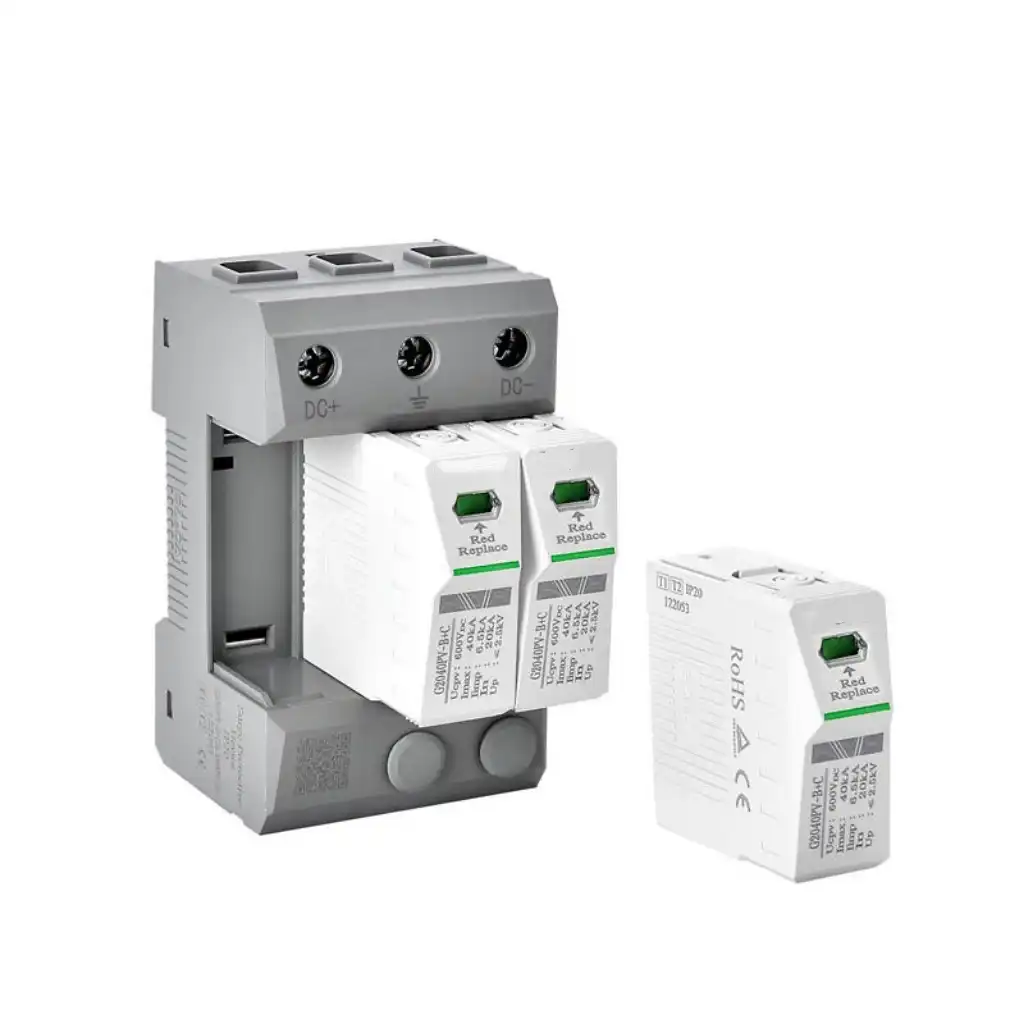
| Red “Replace” or end-of-life flag | Model-specific fault or depleted protection module | Act promptly | Follow the stated cartridge, module or complete-device procedure |
| Power light off | No input, switch off, tripped overload, dead outlet or internal fault | Confirm safe external supply state | Do not blame the SPD until the power path is understood |
| Ground light abnormal | Possible receptacle or wiring condition on products with this feature | Escalate wiring questions | Replacing only the strip does not correct a building ground fault |
| Panel SPD phase LED off | Lost phase, connection issue, upstream device state or failed module | Qualified verification | Replace after the model's supply and connection checks support it |
Schneider Electric gives a useful model-specific example: for its QO250PSPD and HOM250PSPD, an off indicator calls for connection and line-voltage checks before replacement.[3] For certain IMA/IBA modules, two dark green LEDs can mean lost phase power or a module that needs replacement after correct voltage is confirmed.[4] Eaton's SP2 is a different example that uses a bi-color LED: green for good and red for replace.[5]
Important boundary: checking line voltage or panel connections is not a homeowner or office-user step. It belongs to qualified electrical personnel using the product instructions and the site's safe-work procedure.
A failed SPD is one possibility, not the only one. The safest response is to keep physical hazard signs as the stop-use threshold, then investigate other symptoms without guessing.
| Symptom | Possible SPD explanation | Other plausible cause | Useful next step |
|---|---|---|---|
| Outlets have no power | Automatic shutdown or internal fault | Dead wall outlet, switch off, overload trip, cord damage or outage | Use the product guide and safe external checks |
| Breaker or strip reset trips | Damaged device or load path | Too much load, bad appliance, short circuit or branch-circuit fault | Stop repeated resetting and isolate the cause |
| Computer or network resets | Protection unavailable or transient reached equipment | Utility dip, loose plug, power-supply fault, software or data-line event | Record event timing and check all power/signal paths |
| Panel alarm or remote contact | Fault or end-of-life signal | Phase loss, alarm wiring issue or monitoring fault | Use the device's diagnostic table and panel procedure |
| New SPD fails again quickly | Repeated surge stress | Wrong voltage/MCOV, sustained overvoltage, installation or grounding issue | Review the system before repeating replacement |
Loss of supply, undervoltage and a short transient are different events. A damaged appliance also does not prove that a point-of-use SPD failed. Preserve the device status and event history for a better diagnosis.
A desk strip is usually replaced as a complete unit after damage or a confirmed loss-of-protection signal. A panel-mounted SPD may use phase lights, alarm contacts or replaceable cartridges, but it is connected to hazardous distribution equipment.
Boundary: do not open the housing, splice the cord, bypass shutdown or create a surge to “test” it.
Boundary: occupants and unqualified workers should not remove covers, measure panel voltage or handle SPD wiring.
Eaton's BSPA instructions state that only licensed or qualified electricians should install and service the unit. They also warn that the device has no serviceable parts and that the voltage and wiring configuration must match the system.[8]
Many SPDs use metal-oxide varistors, usually called MOVs. During a short voltage surge, an MOV changes its electrical behavior and helps divert surge current. The device may respond to more than one event, but repeated stress or a severe event can reduce the protection available.
A sustained overvoltage is different from a brief transient. It can create ongoing heat instead of a short surge response. Many designs use a thermal disconnect so a stressed MOV can be taken out of the circuit. The product may then show an end-of-life light, alarm contact, replace flag or loss of outlet power.
The documented normal indicator supports continued use under the rated conditions.
The outside may still look normal while the protection stage loses capacity.
A fault light, replace flag, alarm or shutdown can show loss of protection.
Follow the model guide and review repeat failures for an upstream cause.
Age, storm count or a joule number alone cannot prove the remaining health of every SPD. Environment, events, model design, system voltage, installation and diagnostics all matter. Use the product's end-of-life indication and maintenance instructions.
Schneider describes certain QO/HOM devices as able to respond repeatedly until end of life.[9] This is a model example, not a promise that every SPD survives the same number or size of events.
The goal is not to prove that every internal part is perfect. It is to spot clear hazards, keep useful evidence and choose the correct replacement or escalation path.
Heat, odor, smoke, sparks, melting, exposed conductors or water damage take priority over indicator diagnosis.
Record the manufacturer, catalog number, voltage, location, SPD marking, indicator labels and any asset record.
For a plug-in unit, look at the case, cord, plug, outlets, switch, labels and LEDs. Do not open it.
Separate power, ground, protected, fault and replace functions. Follow the manual's response for the observed state.
Note dead outlets, repeated trips, affected loads, phase status and recent utility or switching events without forcing a test.
Replace a failed plug-in device with a compatible marked product. Use qualified personnel for panel, receptacle and wiring questions.
Keep the model, normal status, event, failure sign, corrective work and replacement identity together for future checks.
Do not make a power spike, overload, short circuit or improvised meter test. It can create shock, fire or equipment damage and does not prove the SPD's remaining protection.
These examples show why the symptom, the label and the electrical context must be read together.
First identify whether it is labeled Power, Grounded or Protected. If the manual says an unlit Protected LED means loss of protection, replace the unit. A lit monitor does not prove the SPD stage works.
Use the model's diagnostic table, then have qualified personnel confirm the required supply state. A clear replace signal and a lost-phase condition are different faults.
Stop using it. A high-wattage load, loose wall outlet or damaged strip can cause heating. A protection-status light does not make the load arrangement safe.
Once qualified personnel define the replacement scope, collect the technical identity needed for a useful model review:
UL Solutions highlights nominal system voltage and SCCR as key safety ratings. It also identifies nominal discharge current, MCOV and VPR as important performance ratings.[6] A module that fits can still be wrong for the circuit.
Treat it as unsafe if it is hot, smells burnt, sparks, buzzes, has melted or cracked housing, a damaged cord or loose outlets. A model-specific replace or end-of-life signal also supports replacement. Read the exact manual before judging an unexplained light.
Only when the exact product documentation says that light reports protection health. On another model, green may show only that input power is present. A green light also cannot prove the wall outlet, grounding or load arrangement is correct.
Red often means fault or replace on certain models, but it is not universal. Other products can use red for power, overload or another alarm. Identify the model and read the indicator legend before deciding.
Not automatically after every event. Inspect for physical damage and check the model-specific protected or end-of-life status. Replace it when the product shows a replace signal, has damage, or the manufacturer instructions require replacement after the event.
A damaged SPD or its load path may contribute, but repeated trips do not prove it is the cause. Overload, a defective appliance, short circuit, bad receptacle or branch-circuit fault can also trip protection. Do not keep resetting without finding the cause.
A power strip adds outlets. A surge protector also contains a circuit intended to limit short transient overvoltage. They can look alike, so confirm the nameplate, model and manufacturer documentation rather than relying on a switch or light.
No. Remove a damaged plug-in unit from service and replace it. Do not tape, splice or open it. A panel SPD may have an approved replaceable module, but qualified personnel must follow the exact manufacturer procedure.
Collect the model, system voltage and wiring type, SPD type and location, MCOV, discharge and protection ratings, SCCR, status behavior, enclosure and mounting, upstream protection, panel documentation, quantity and target-market requirements.
Safety notice: This article supports external observation, maintenance planning and replacement sourcing. It is not permission to open an SPD, remove a panel cover, test energized conductors, bypass protection, repair a damaged cord, create a surge or return uncertain equipment to service.
Product design, indicator logic, voltage, wiring, protection type, local rules and safe-work requirements vary. Use the exact manufacturer instructions and qualified electrical personnel for panel-mounted devices, receptacles, branch circuits and any hazardous or unclear condition.
Send SENTOP the verified model, system voltage, wiring type, SPD location, ratings, status indication, panel details, quantity, approvals and destination. Our team can help organize a product-matching and supply review.