
When considering switching device selection for control systems, you need to choose between optocouplers, mechanical relays, and SSRs based on the specific needs of your control system. Many engineers overlook this crucial step. However, selecting the wrong switching device can lead to nearly 40% of issues encountered during system installations in factories.
- These errors can result in system failures and significant financial losses.
Always take the following factors into account:
| Criteria | Description |
|---|---|
| Switching frequency | How often the device turns on or off |
| Temperature range | The hottest and coldest it can work |
| Environmental requirements | What conditions the device can handle |
Picture a factory where a single switch malfunctions and halts all operations. This scenario underscores the importance of careful consideration and adherence to each step in the switching device selection for control systems to ensure the safety and reliability of your system.
Key Takeaways
- It is important to pick the right switching device. This helps you avoid expensive system problems.
- Think about things like how often you need to switch. Also, check the temperature range and the environment.
- Optocouplers work well for low-current jobs. They also keep signals separate very well.
- Mechanical relays are good for high-power needs. But they do not last as long because they wear out.
- Solid-state relays (SSRs) switch quickly and last a long time. They are good if you need to switch often.
- Always figure out the load current and voltage you need. Do this before you pick a switching device.
- Use the right protection to help your devices last longer. This also helps stop them from failing.
- Check and take care of your devices often. This keeps them working well and makes them more reliable.
Device Architecture

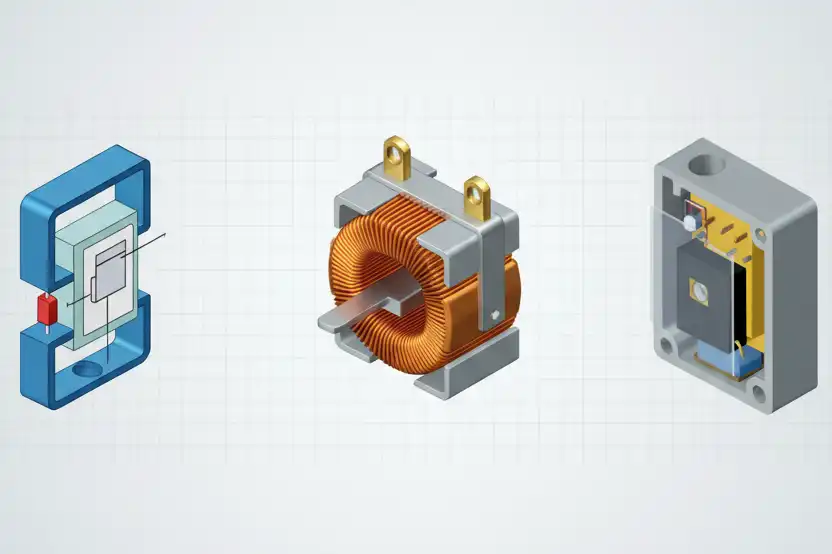
Knowing how each switching device is built helps you pick the right one. Optocouplers, mechanical relays, and ssrs all have different designs. Each one has its own good and bad points. The table below shows how they are not the same:
| Device Type | Description | Power Handling | Limitations |
|---|---|---|---|
| Optocoupler | Signal isolator using LED and phototransistor. | Max 50mA | Cannot drive heavy loads; limited to small current applications. |
| Mechanical Relay | Electromechanical device using a coil to switch contacts. | Up to 30A or more | Subject to wear and tear; limited lifespan due to contact erosion. |
| Solid-State Relay | Combines optocoupler for isolation with semiconductor switch. | Virtually unlimited | Voltage drop leads to heat dissipation; requires proper heatsinking to prevent overheating. |
Optocoupler Basics
Signal Isolation
Optocouplers keep two parts of a circuit apart. They use a small LED and a phototransistor. When the LED shines, the phototransistor turns on. This lets a signal cross over without touching wires. Signal isolation keeps high voltages away from sensitive parts. Optocouplers are good for digital circuits and microcontrollers. They help stop noise and surges from hurting your system.
Output Limits
Optocouplers can only handle small amounts of current. Most can only take up to 50mA. You cannot use them for big loads or high voltages. If you want to control something bigger, you need extra driver circuits. Optocouplers cannot switch AC loads by themselves. Always check how much current they can handle before using one.
Mechanical Relay Basics
Electromechanical Action
Mechanical relays have a coil and moving contacts. When you send power to the coil, it makes a magnetic field. This field pulls the contacts together and closes the circuit. Mechanical relays can switch big currents and voltages. They are good for simple on-off controls.
Cycle Life
Mechanical relays have parts that move. Every time you use them, the contacts wear down a bit. Most relays last from 100,000 to 1,000,000 uses. Over time, the contacts can burn or stick together. You need to replace relays when they wear out. They switch slowly and sometimes need arc suppression.
SSR Basics
Hybrid Switching
An ssr uses both an optocoupler and a semiconductor switch. The optocoupler keeps things separate, and the semiconductor does the switching. Ssrs have no moving parts. They switch fast and make no noise. Ssrs last a long time and can switch both AC and DC loads.
Thermal Needs
Ssrs get hot when they work. The voltage drop in the semiconductor makes heat. If you use an ssr for more than 5A, you need a heatsink. Without good cooling, the ssr can get too hot and break. Always check how much heat your ssr can handle. Use heatsinks or fans if needed. The table below shows more about voltage and current limits:
| Device Type | Voltage/Current Limitations |
|---|---|
| Optocouplers | Maximum output current: 50mA; Requires external driver circuitry; Cannot switch AC loads directly. |
| Mechanical Relays | Finite mechanical lifetime: 100,000 to 1,000,000 cycles; Slow switching speed; Requires arc suppression. |
| Solid State Relays | Continuous heat generation; Requires heatsinking for loads >5A; Limited overload capacity. |
Tip: Always think about how much heat your ssr makes. Good cooling keeps your system safe and working well.
Use Cases
You must pick the right switching device for your job. Each device type works best in certain situations. If you know these uses, you can avoid mistakes. This helps your system work well and saves money.
Optocouplers
Optocouplers are good for protecting sensitive electronics. You see them in digital circuits and microcontroller interfaces. They are also used for signal isolation. For example, you can use an optocoupler with a microcontroller and a noisy sensor. This keeps the microcontroller safe from voltage spikes and noise. Optocouplers switch very fast, between 10 and 100 microseconds. They give strong isolation, from 2,500 to 5,000 volts. This makes them great for low-current, high-speed signals.
Mechanical Relays
Mechanical relays, or EMRs, handle big starting loads. They work well in harsh places. You can use them to control motors, pumps, or big lights. They give full galvanic isolation. This means there is no direct electrical path between input and output. This keeps your control system safe. Mechanical relays switch slower than other devices, about 5 to 15 milliseconds. They do not leak current when off. This is good when even a small current is a problem. You can trust them in hot places or when you need to switch heavy loads.
Solid-State Relays (SSRs)
SSRs are best when you need fast, quiet, and frequent switching. You often see them in factory lines, HVAC systems, and fast timing circuits. SSRs switch in less than 1 millisecond. They make almost no electrical noise. SSRs last longer than mechanical relays because they have no moving parts. But SSRs can leak a tiny current when off. Do not use them if you need zero leakage. They also need good cooling for high-power jobs.
Tip: Always check what your job needs for speed, isolation, and load before you pick a device.
Quick Comparison Table
Here is a simple guide for common uses:
| Device Type | Typical Use Case Example |
|---|---|
| Optocoupler | Microcontroller input protection, digital signal isolation |
| Mechanical Relay | Motor control, high-power switching, industrial lighting |
| Solid-State Relay | Fast repetitive switching, HVAC control, automated lines |
You can also look at their speed and isolation:
| Device Type | Switching Speed | Isolation Capability |
|---|---|---|
| Optocouplers | 10-100µs | 2,500-5,000V typical |
| Mechanical Relays | 5-15ms | Complete galvanic isolation |
| Solid-State Relays | <1ms | High isolation, no moving parts |
Picking the right device for your job keeps your system safe and reliable. It also helps your control system last a long time.
Switching Device Selection for Control Systems

Picking the right switching device starts with knowing what your system needs. You can use steps to match each device to its job. This helps you avoid mistakes and keeps things safe.
Tier 1 – Signal Level
PLC Inputs
For signal-level jobs, you use programmable logic controllers, or PLCs. PLCs read signals from sensors or buttons. At this level, you need low voltage and low current. Optocouplers work well for these jobs. They protect PLCs from high voltage spikes and noise. Optocouplers keep the PLC input separate from the rest of the circuit. This makes your control system safe and reliable.
Low Current
Signal-level switching means you work with small currents. Optocouplers can handle up to 50mA. You should not use them for big loads. If you need to switch a small sensor or digital signal, optocouplers are best. They switch quickly and protect your system from voltage surges. You can also use sensors to watch these signals.
Tier 2 – Moderate Power
HVAC Control
For moderate power, you control things like HVAC systems. These need more current than sensors. Mechanical relays or SSRs are good for this job. SSRs switch faster and last longer. Mechanical relays can handle more current but wear out over time. For HVAC, you want a device that can switch often and handle moderate voltage. SSRs work well because they have no moving parts.
Cycle Calculation
You need to think about how often your device will switch. If your system switches a lot each day, SSRs are better. They can handle many cycles without wearing out. Always check the load current and voltage before you pick a device. If you expect lots of switching, SSRs are more reliable. Mechanical relays work for slower switching and can handle extra current better.
Tier 3 – High Power
PID Heaters
High-power jobs, like PID heaters, need devices that handle big currents and high voltage. SSRs are the best choice here. They switch quickly and do not wear out. You must pick an SSR that matches your load current and voltage. Always check the datasheet for the highest ratings.
Heat Dissipation
High-power switching makes heat. SSRs get hot when they switch big currents. You need heatsinks or fans to keep SSRs cool. If you do not cool them, SSRs can break. Overcurrent protection is important too. Use fuses or breakers to keep your system safe.
Tip: Always match your device to the load current, voltage, and switching needs.
Here is a table that shows how different control systems benefit from picking the right switching device:
| Control System Type | Industry/Application | Key Benefits |
|---|---|---|
| PLC | Automotive Manufacturing | Faster assembly, fewer errors |
| DCS | Pharmaceutical Industry | Better compliance, more output |
| SCADA | Industrial Operations | Safer systems, better production lines |
Choosing the right switching device helps your system work well, stay safe, and last longer. Always check the load current, voltage, and switching needs before you pick a relay, SSR, or optocoupler.
Engineer’s Guide: Step-by-Step Selection
Picking the right switching device can seem hard. This guide helps you choose the best one for your control system. You will learn how to figure out the load, match your needs to the right device, and check the environment. These steps help you avoid mistakes and keep your system working well.
Calculate Load
Current & Inrush
First, you need to know how much current your device uses. This is the most important step when picking a switching device. If you skip this, you might overload your optocoupler, relay, or SSR. Overloading can break your system and cause it to stop working.
Here are the steps to figure out the load:
- Find out how much current your device uses when running.
- Check if your device uses more current when it first turns on.
- Add extra to your number. Many engineers add 20% more to be safe.
- Look at the voltage your device will switch. Make sure your device can handle both the current and voltage.
- Think about the size of the switch. Bigger switches can handle more current but may not fit in your panel.
⚡ Tip: Never guess the current. Use a meter or look at the datasheet for your device. Guessing wrong is a common mistake.
Some mistakes people make when figuring out the load are:
- Picking the wrong switch for the job
- Forgetting about inrush current and overloading the switch
- Bad wiring that makes more heat
- Not counting all the energy used
- Not checking the wattage of the device
- Forgetting about losses in the wires
You can avoid these mistakes by checking your numbers and using the right tools.
Frequency & Life
Switching frequency means how often your device turns on and off. This number changes how long your optocoupler, relay, or SSR will last. If you switch too much, mechanical relays wear out faster. SSRs and optocouplers can handle lots of switching.
Think about these things:
- Count how many times your device will switch each hour.
- Guess how many times it will switch in its life.
- Pick a device that can handle your switching needs.
If you need your device to last a long time and switch a lot, SSRs or optocouplers are better. Mechanical relays are good for slower switching and longer breaks.
Map to Device
Decision Matrix
Now you need to match your load and how you switch to the right device. Use this chart to help you decide:
| Requirement | Optocoupler | Mechanical Relay | SSR |
|---|---|---|---|
| Signal isolation | Yes | Yes | Yes |
| Max current | Up to 50mA | Up to 30A or more | 1A to 100A+ |
| Switching frequency | High | Low | High |
| Mechanical wear | None | Yes | None |
| Thermal management needed | No | No | Yes |
| AC/DC switching | DC only | AC/DC | AC/DC |
| Noise immunity | High | Medium | High |
🛠️ Note: If you need to switch big currents a lot, SSRs are usually best. For small signals, optocouplers work well. Mechanical relays are good for simple jobs that do not switch often.
Quick Reference
Use this quick list to help you pick fast:
- Use optocouplers for:
- Keeping microcontrollers safe from high voltage
- Separating digital signals
- Fast, small current switching
- Use mechanical relays for:
- Switching big loads that do not switch often
- Jobs where no current should leak when off
- Places with lots of electrical noise
- Use SSRs for:
- Switching big currents many times
- Quiet operation
- Jobs that need fast switching and long life
Validate Environment
Before you finish, check where your device will work. The environment can change how well your optocoupler, relay, or SSR works. You need to think about power, temperature, humidity, and safety.
Optocoupler Checklist
- Is the temperature okay for the optocoupler?
- Will the air stay dry enough?
- Is there space for air to move around it?
- Are there strong magnetic fields nearby?
- Is it safe from dust and dirt?
Relay Checklist
- Will the relay get too hot or cold?
- Is it safe from water and rust?
- Are there strong shakes or bumps in the area?
- Is the relay held in place well?
- Does it have good grounding?
SSR Checklist
- Is there room for a heatsink or fan?
- Will the SSR have to handle high current all the time?
- Is the air temperature safe for the SSR?
- Is it safe from dust and damage?
- Does the panel have good power quality?
- Is there cooling for the SSR?
- Is the SSR mounted so it can lose heat?
Here is a table to help you see how temperature and heat matter for each device:
| Device Type | Key Considerations |
|---|---|
| SSR | Continuous heat generation requires proper thermal management to prevent thermal shutdown or failure. |
| Power Dissipation | Example: A 10A SSR with a 1.5V drop produces 15W of heat. |
| Heatsink Sizing | For every 5W of heat, use a heatsink rated for 5-10°C/W thermal resistance. |
🌡️ Tip: Always look at the datasheet for heat ratings. Good cooling helps your SSR last longer.
If you follow this guide, you can pick the right device for your control system. You will avoid mistakes and keep your system safe and working well. Use this guide every time you build or upgrade your control system.
Implement Protection
You need to protect your switching devices. This keeps your control system safe and working longer. Protection stops damage from voltage spikes, too much current, and heat. Each device needs its own kind of care. If you skip protection, your system might break and cost a lot to fix.
Optocoupler Protection
Optocoupler circuits must be designed carefully. Always use a current-limiting resistor with the input LED. This resistor keeps the current safe and stops the LED from burning out. If you use an inductive load, like a relay coil or motor, add a flyback diode. The diode blocks voltage spikes that could hurt the optocoupler. Sometimes, you need an extra driver stage. You can use an NPN transistor to give more current. This helps the optocoupler work better.
Best ways to protect optocouplers are:
- Use a current-limiting resistor for the input LED.
- Add a flyback diode across inductive loads.
- Use an external driver stage if you need more current.
⚡ Tip: Always check the datasheet for the highest current the optocoupler can take. Too much current will break it.
Relay Protection
Mechanical relays need help to stop voltage spikes and arcing. If you use a DC relay, put a flyback diode across the coil. This diode stops high voltage from hurting the relay when you turn it off. For AC loads, use an RC snubber circuit. The snubber cuts down arcing and keeps the contacts safe. Arcing can burn the contacts and make the relay not last as long. Watch the current through the contacts. Too much current can weld the contacts together.
Relay protection steps are:
- Put a flyback diode on DC coils.
- Use an RC snubber for AC loads.
- Check the current rating for the contacts.
- Change relays before they wear out.
🛡️ Note: If you hear clicking or see sparks, your relay may need better protection.
SSR Protection
Solid-state relays need strong protection from heat, voltage spikes, and high current. You must mount the SSR on a heatsink to keep it cool. Good airflow helps the SSR stay at a safe temperature. For inductive AC loads, add an RC snubber in parallel with the SSR output. The snubber blocks voltage spikes and keeps the SSR safe. In noisy places, add a metal oxide varistor (MOV) across the SSR output. The MOV soaks up high voltage and stops damage. Use a fast-acting fuse or circuit breaker in series with the load. This fuse protects the SSR from too much current and short circuits.
SSR protection checklist:
- Mount SSR on a heatsink for cooling.
- Make sure air can move around the SSR.
- Add an RC snubber for inductive AC loads.
- Use a MOV for voltage spikes.
- Install a fast-acting fuse or breaker for too much current.
🌡️ Tip: Always check the SSR’s heat rating. Too much heat will make the SSR shut down or break.
Protection Methods Table
| Component Type | Protection Method | Details |
|---|---|---|
| Optocoupler | External driver stage | Use NPN transistor for current amplification and safe driving of the transistor base. |
| Input LED protection | Always use a current-limiting resistor to prevent damage. | |
| Inductive load protection | Add flyback diode across inductive loads to prevent voltage spikes. | |
| Mechanical Relay | Coil protection (DC relays) | Install flyback diode across relay coil to prevent inductive kickback. |
| Contact protection for arcs | Use RC snubber for AC loads and flyback diode for DC loads. | |
| SSR | Thermal management | Mount SSR on heatsink and ensure proper airflow. |
| Snubber circuit for AC loads | Install RC snubber in parallel with SSR output terminals. | |
| Transient voltage protection | Add MOV across SSR output for high-noise environments. | |
| Overcurrent protection | Use fast-acting fuse or circuit breaker in series with load. |
Common Protection Failures
If you do not use the right protection, you may see these problems:
- Voltage faults from load changes or lightning.
- Current faults like too much current or short circuits.
- Temperature faults from too much heat in the system.
If you follow these protection steps, your optocoupler, relay, and SSR will stay safe. You will avoid common failures and your control system will last longer.
Failure Modes and Poor Power Quality
Switching devices can stop working for many reasons. You should know how bad power quality affects each type. If you learn about these problems, your control system can last longer.
Optocoupler Issues
Switching Problems
Optocouplers sometimes do not switch signals right. You might miss signals or see slow switching. Bad power quality can make voltage spikes. These spikes hurt the LED or phototransistor inside the optocoupler. If the control circuit stops working, your system may not act as it should.
Noise
Electrical noise can get into your system from bad power quality. This noise can cause false switching or random turning on and off. You might see your optocoupler switch when it should not. Dust, wet air, and rust make things worse. You should use power quality tools to check for noise and spikes.
Relay Issues
Contact Welding
Mechanical relays have parts that move. If a big surge happens from bad power, the contacts can stick together. This means the relay gets stuck in one spot. Too much current and voltage spikes often cause this. You should use power quality analyzers to watch for these problems.
Wear-Out
Relays get old as you use them. Each time the contacts move, they lose a little bit of metal. Bad power quality makes this happen faster. Wet air and dust can also cause rust. If you do not check your relays, you might miss early signs of trouble.
SSR Issues
Thermal Shutdown
Solid-state relays (SSRs) can get very hot. Bad power quality can cause too much current and heat. If you do not cool them, the SSR may shut down or break. Cheap SSRs often switch in strange ways. You should use thermal monitoring to find hot spots early.
Incomplete Off
Sometimes SSRs do not turn off all the way. You might see a small current still flowing. Bad power quality can cause quick voltage changes and interference. These problems make SSRs less reliable. Finding bad power quality helps you fix these issues before they get worse.
Tip: Check your devices often and keep them clean. Write down how they work and look for changes.
Common Failure Modes Table
| Failure Mode | Description |
|---|---|
| Thermal Issues | Getting too hot can damage parts and cause more heat problems. |
| Electrical Overstress | Voltage spikes and surges can break parts if they go over the limit. |
| Control Circuit Failures | Problems in the control circuit or isolation parts can make relays work wrong. |
| Environmental Factors | Wet air, dust, and rust can damage inside parts and make them stop working. |
Solutions and Prevention Strategies
You can stop most failures by doing these things:
- Use thermal monitoring to find hot spots.
- Check and fix your devices often.
- Keep dust and wet air away from your devices.
- Teach your team to find and fix problems.
- Follow safety rules and standards.
- Replace old devices with new ones.
- Add backup systems for important jobs.
- Write down how your devices work and when you fix them.
🛡️ Note: Good power quality analyzers help you find problems early. If you use these tools, your switching devices will last longer and work better.
Cost-Benefit Analysis
When you pick a switching device, think about cost and value. The right device can make your control system better and more reliable. Let’s see how mechanical relays and SSRs are different in price, care, and how well they work.
Device Cost
Initial Cost
You will see that each device has a different price. SSRs cost more at the start. Mechanical relays and optocouplers are cheaper to buy. Here is a table to help you compare:
| Device Type | Cost Range |
|---|---|
| Solid-State Relays | $5 – $50 |
| Mechanical Relays | $2 – $15 |
| Optocouplers | $0.10 – $2 |
If you want to spend less at first, pick relays or optocouplers. But do not just look at the first price. How long the device lasts and works well is also important.
Maintenance
Mechanical relays have moving parts that wear out. You will need to replace them more often, which costs more over time. SSRs do not have moving parts, so you spend less time and money fixing them. The table below shows how these costs add up:
| Relay Type | Maintenance Costs Over Time | Lifespan and Reliability | Initial Cost Comparison |
|---|---|---|---|
| Mechanical Relays | Increase due to wear | Shorter lifespan, more failures | Lower upfront, higher long-term costs |
| Solid-State Relays | Minimal, lower long-term | Longer lifespan, more durable | Higher upfront, cheaper in the long run |
You can see that SSRs last longer and need less work to keep running.
Reliability
SSR vs Relay
Reliability is very important for control systems. SSRs last much longer than mechanical relays. SSRs can work for over 100,000 hours. Mechanical relays last for a set number of uses, usually between 100,000 and 1,000,000. If you want your system to work well and not stop often, SSRs are a better pick.
- SSRs do not have parts that wear out.
- You do not need to change SSRs as much.
- SSRs help your system run with fewer stops.
Application Guidelines
Pick SSRs if you want your system to be very reliable. SSRs are best when you need fast switching or when fixing things is hard. Here are some signs that SSRs are worth the extra money:
- Your system works all day and needs to be the best.
- You want to fix things less often.
- Stopping your system costs money or is unsafe.
- You need the most reliable device for important jobs.
SSRs use semiconductor switches that can handle tough jobs. This means you get better quality and fewer problems. Over time, SSRs save money because you do not need to replace them as much. In many factories, SSRs help keep things running without stopping.
Tip: Always think about the total cost, not just the first price. Good SSRs can save money by working better and lasting longer.
Quick Reference Guide
Selection Cheat Sheet
You can use a simple cheat sheet to help you choose fast. This makes it easier to pick the right switching device for your system. First, check what kind of signal you need to switch. Next, look at how much current and voltage your load needs. Decide if you want your device to switch quickly or last a long time. Think about where your device will be, like if it is hot or dusty. Pick between optocoupler, mechanical relay, or SSR based on what you need. If you use networked devices, set up ports and VLANs the right way. Know the difference between trunk and access ports for good connections.
Knowing command modes, setting up VLANs, and using security are important things to add to your cheat sheet for switching devices.
Protection Checklist
You can keep your system safe by using a protection checklist. This list covers the most important steps for picking a switching device. First, check the system voltage and insulation. Then, figure out how much current the device must break or make. Check how much current your load needs all the time. Think about what your device will do and where it will be used. See if you need your device to last a long time or handle lots of use. Make sure you know what control, protection, and communication features you need. Think about how you will take care of the device in the future.
Always go through each step before you put in or change your switching device.
Thermal Management
You need to control heat so your switching devices work well. Good thermal management stops your devices from getting too hot. This helps your system last longer. Use heat sinks for SSRs when you switch big loads. Make sure air can move around your device. Figure out how much heat your device makes (P = V_drop × I_load). Pick a heat sink that matches what the manufacturer says for loads over a few amps. SSRs may need heat sinks to stay cool, especially with big loads. Getting rid of heat is very important to stop overheating and keep your device working.
| Solution Type | Description |
|---|---|
| Heat Sink Selection | Figure out the heat made and pick a good heat sink for loads over a few amps. |
SSRs can make a lot of heat when they are on. To stop too much heat and help the relay last longer, use good thermal management. This means using heat sinks and thinking about the room temperature and how much current you have.
You can keep your control system safe and working well by using these quick tools. Always check your cheat sheet, protection checklist, and thermal plan before you begin.
If you follow each step when picking a device, you can make better choices for your control system. This way helps you not make mistakes and keeps your system safe. Picking devices in a careful order means fewer failures. It stops problems that happen from bad design or setup errors.
- Many failures happen because of design mistakes or hard work conditions.
- If you use careful steps, you can stop these problems and make things safer.
Start using this method so you do not have to guess. This will help you build systems that work better and last longer.
FAQ
What is the main difference between an optocoupler and a relay?
You use an optocoupler for signal isolation in low-power circuits. A relay switches higher currents and voltages. Optocouplers have no moving parts. Relays use mechanical contacts.
Can you use an SSR for both AC and DC loads?
You can use some SSRs for AC loads and others for DC loads. Always check the datasheet. Most SSRs work best with one type of current.
Why does my relay make a clicking sound?
The clicking sound comes from the relay’s moving contacts. This is normal. If you hear rapid or loud clicks, check for wiring problems or overloads.
How do you protect an SSR from overheating?
You should mount the SSR on a heatsink. Make sure air can flow around it. Use a fan if needed. Always check the SSR’s temperature during operation.
What causes optocoupler failure?
Too much current or voltage can damage the LED inside the optocoupler. Heat and electrical noise also cause problems. Always use a current-limiting resistor.
When should you choose a mechanical relay over an SSR?
Choose a mechanical relay when you need zero leakage current, simple on-off control, or when cost matters most. Relays work well in harsh environments.
Do SSRs leak current when off?
Yes, SSRs can leak a small current even when off. This is normal for solid-state devices. If you need zero leakage, use a mechanical relay.
How often should you replace a mechanical relay?
You should check the relay’s cycle rating in the datasheet. Replace it after reaching the rated number of cycles or if you see signs of wear, like sticking contacts.
See also
A Comprehensive Guide for Engineers on Solid-State Relays
Terminal Block or Connector Which One Fits Your Project
Detailed explanation of the workflow of automatic switch
How to Choose the Right Switching Power Supply for Your Project
