

You can have big problems if you miss early SPD failure signs. If you do not see the damage, your equipment can break or catch fire. You might lose a lot of money. You may have to pay to fix things, buy new tools, or handle legal trouble. These costs can be more than $1.5 million every year. If you check your SPD often, you can stop these problems and keep your workplace safe.
Key Takeaways
- Check your SPD often to find problems early. Watch for cracks, burn marks, or strange smells. This helps keep your equipment safe.
- There are two main types of SPD failure: open-circuit and short-circuit. Knowing about these helps you spot problems before they get worse.
- Pick the right SPD for your system. Make sure you choose the correct voltage and type. This stops protection gaps and keeps your equipment safe.
- Change your SPD every 3 to 5 years or after big surges. Doing this early helps you avoid expensive repairs and equipment problems.
- Use status lights to check SPD health fast. A green light means it works well. A red light means you need to replace it right away.
SPD Failure Meaning
What Is SPD Failure
You might ask what SPD failure means. SPD failure happens when the device cannot protect your electrical system from surges anymore. International electrical rules say an SPD needs a disconnecting device. This device keeps your system safe from short-circuit currents during faults. If the SPD cannot disconnect, your equipment is in danger.
SPDs can fail in two main ways:
- Open-circuit failure: The SPD stops working and cannot block surges.
- Short-circuit failure: The SPD lets too much current pass, which can hurt your system.
Note: The IEC 61643-11 standard says SPDs must have disconnectors. These disconnectors help keep your system safe during faults or short circuits.
When an SPD fails, it may not move dangerous currents away from your equipment. This can happen if the voltage goes over the device’s top rating or if there is a problem in the power system.
Effects of SPD Failure
You face many risks when an SPD fails. Your equipment is open to sudden high voltages. These spikes can make your machines stop or break. If your system has more than one panel, one SPD at the main entrance may not protect everything. Some parts of your system can still get damaged.
Some common effects of SPD failure are:
- Equipment keeps failing because there is no surge protection
- Equipment acts wrong when there is too much voltage
- Protection gaps if the SPD has the wrong voltage rating
- Money loss from fixing or buying new equipment
If you do not find SPD failure early, you may pay a lot for repairs and lose time. You can stop these problems by learning how SPD failure can hurt your system.
SPD Failure Causes
Excessive Surge Currents
Your SPD can fail if strong surge currents hit your system. Lightning or switching can cause these surges. If your SPD gets hit too many times, it can break. Multi-pulse flashes and TOV make things worse. Some SPD types, like MOV-based ones, can fail with small surges. Even 35% of their rated current can break them. You might see burn marks or broken pieces when this happens.
| Failure Cause | Description |
|---|---|
| Surge Current Impact | Too many surges, like multi-pulse flashes and TOV, break many SPDs. |
| Failure Characteristics | You may see broken parts, burns, or melted covers. |
| Current Thresholds | MOV-type SPDs can break at only 35% of their rated current if hit by many surges. |
Aging and Thermal Protection
SPDs get weaker as they get older. Each surge makes the parts wear out more. The thermal protection inside can also stop working. Materials like polyethylene get weaker, change shape, and stop working well. You may see cracks, color changes, or feel the device getting hot. These signs mean your SPD may not protect your equipment.
Tip: Change your SPD if it is older than five years or has faced many surges.
Installation Errors
Many SPDs fail because of mistakes when installing them. Wrong wiring, bad grounding, or loose screws can cause problems. Reports say over 40% of commercial SPDs have layout or bonding mistakes. These errors can leave your system open to damage. Look for loose wires, wrong wire spots, and open neutral links.
- Bad grounding and bonding
- Open switches
- Wrong MCOV choice
- Loose wires
Environmental Stress
SPDs can get damaged by things around them. High heat makes them wear out faster and can cause overheating. Cold slows down how they work. Humidity causes rust and corrosion. Dust blocks airflow and makes them overheat. High places make SPDs get hotter and cause more arcing. Lots of lightning and electromagnetic fields also wear out SPDs faster.
- Hot or cold weather
- Humidity and rust
- Dust and dirt
- High altitude
- Lightning and electromagnetic fields
Incorrect SPD Selection
Picking the wrong SPD can leave your equipment at risk. If you choose the wrong voltage rating, you get protection gaps. Using a Class II SPD instead of Class I can cause big problems during lightning. Many systems fail because the SPD cannot handle the real voltage or surge. Always pick the right SPD type and rating for your system.
- Protection gaps from wrong voltage
- Wrong type (Class II vs. Class I)
- Cannot stop overvoltage
- Equipment left at risk
Detecting SPD Damage
Visual Signs of Damage
You can find SPD problems by looking at it closely. First, check the outside of the SPD. Look for cracks or melted spots. Burn marks are also a warning sign. If you see strange colors or the plastic looks bent, the SPD may have faced a surge. Sometimes, you might smell something burning near the SPD. This smell means the SPD got too hot or burned inside.
Here are some things to do when you check:
- Look for cracks or broken pieces on the SPD.
- Check for strange colors or melted parts.
- Smell for burning odors near the SPD.
- Look for rust or corrosion on the device.
If you see any of these signs, the SPD may not work right. You should act fast to keep your equipment safe.
Status Indicators
Most SPDs have status indicators to show if they work. These indicators use lights or flags. A green light or clear flag means the SPD is healthy. A red light, no light, or red flag means the SPD has failed.
| Indicator Type | Condition Description |
|---|---|
| Green Light / Clear Flag | Shows the SPD is healthy and ready for surges. |
| Red Light / No Light / Red Flag | Means the SPD is broken and cannot protect your equipment. |
Check these indicators often. If you see a red light or no light, replace the SPD right away.
Status indicators help you check quickly. LED lights show you the SPD’s status fast. Looking at the SPD helps you find damage, but indicators show problems sooner.
| Indicator Type | Functionality | Effectiveness |
|---|---|---|
| LED Indicators | Give quick feedback on SPD status | High |
| Physical Inspection | Shows damage or problems | Moderate |
Testing Methods
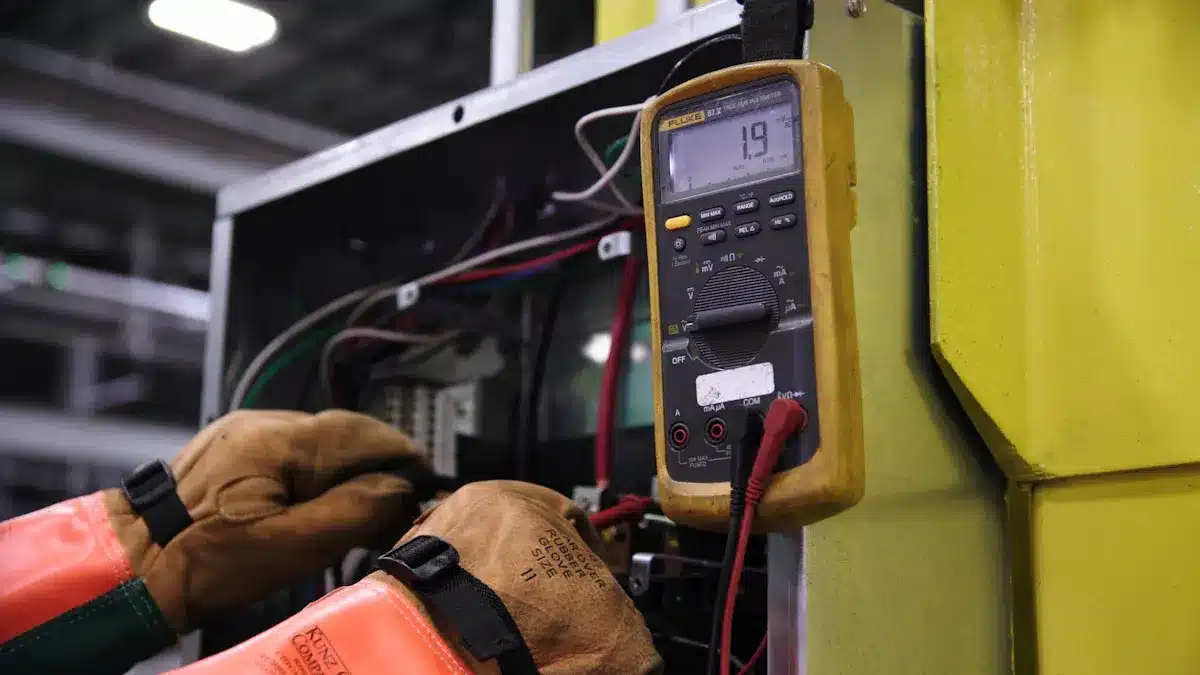
You can test your SPD in different ways. First, look at the SPD for damage. You should also use tools to check it. For homes, check the SPD and its indicator window once a year. Use a multimeter to look for electrical problems. In factories, check every six months and use an SPD tester. For wind or solar power, test every three months and after storms. Use lab tests to check for problems like too much voltage.
| Testing Scenario | Maintenance Frequency | Testing Method |
|---|---|---|
| Residential | Once per year | Look at SPD & indicator window + Multimeter check |
| Industrial | Every 6 months | Look at SPD & indicator window + SPD888 Tester |
| Wind / Solar Power | Every 3 months + after thunderstorm season | SPD888 Tester + Lab tests (like TOV, residual voltage tests) |
Manufacturers test SPDs before selling them. They use burn-in tests, electrical stress, and aging tests. These tests make sure each SPD works well and lasts long.
| Testing Process | Purpose |
|---|---|
| Burn-In Testing | Makes sure the SPD lasts a long time. |
| Continuous Electrical Stress | Checks if the SPD keeps working during its life. |
| Performance Monitoring | Makes sure the SPD works well for a long time. |
| Accelerated Aging Simulation | Finds and fixes problems before selling the SPD. |
Next Steps After Detection
If you find damage or a problem with your SPD, act fast. Here is what you should do:
- Check the SPD to make sure there is a problem.
- Replace the SPD right away if it is damaged or broken.
- Check other devices to make sure they are safe.
- After you put in a new SPD, use tools to check it.
- Write down the problem and how you fixed it.
- Make sure the new SPD fits your system.
- Keep checking and testing your SPD often.
Tip: Always use the same type and rating when you replace your SPD. This keeps your system safe and working well.
If you follow these steps, you can protect your equipment and avoid big losses. Regular checks and quick action help you keep your workplace safe.
SPD Maintenance Tips
Inspection Schedule
You need to check your SPD often. Most makers say to look at it once a year. If there is a big surge or storm, check it right away. Always read the manual for special steps. The table below shows what you should do:
| Manufacturer Recommendation | What You Should Do |
|---|---|
| Replacement Interval | Change SPD every 3–5 years |
| Routine Inspection | Check SPD yearly or more often |
| After Surge Event | Inspect and replace if needed |
| Manual Consultation | Follow all instructions in manual |
Installation Best Practices
Good installation stops early problems. You should:
- Follow all steps from the manufacturer.
- Make sure wires are tight and secure.
- Put the SPD where air can move around it.
- Use wires that are at least 6mm² for homes.
- Use wires that are at least 10mm² for businesses.
- Do not bend wires sharply.
- Always add a backup fuse with the right rating.
- Keep wires short and straight.
- Use colored wires and labels to help you check.
Tip: Watch your SPD after you install it to find problems early.
Choosing the Right SPD
Picking the right SPD keeps your system safe. Think about where you will put it and what you want to protect. The table below can help you choose:
| Criteria | Description |
|---|---|
| Installation Location | An SPD on the line side gives the best protection from direct strikes. |
| Protection Levels | How well it works depends on where you put it near the service disconnect. |
| Specific Applications | Some panels far from the main panel need extra protection. |
You may need more protection for panels over 10 meters away or for outdoor sources.
Replacement Guidelines
Change your SPD if you see damage or after a big surge. Experts say:
| Maintenance Action | Purpose |
|---|---|
| Quarterly visual inspections | Find bad units before they stop working |
| Annual thermal scanning | Find overheating and possible problems |
| Status indicator monitoring | Check if the SPD still works |
If you follow these tips, you can keep your system safe and save money on repairs.
You have many risks if your SPD stops working. Some reasons are lightning strikes, mistakes during installation, and tough working conditions.
| Cause of Failure | Description |
|---|---|
| Multi-pulse lightning strikes | These can make a short circuit and start a fire. |
| Installation errors | Wrong connections or loose wires make the SPD fail early. |
| Operational conditions | Too much voltage for a long time causes heat and breakdown. |
You can find damage by looking for cracks or burn marks. You can also use special tools like GCMD. Checking your SPD often and taking care of it helps it work longer. If you see damage, act fast and get a professional to fix or replace it.
- Experts make sure the SPD is put in the right way.
- You save money because you avoid big repairs.
- Your equipment stays safe and works well.
FAQ
What is the main sign that my SPD has failed?
You should look for a red light or no light on the status indicator. You may also see burn marks or smell something burning. These signs show your SPD cannot protect your equipment.
How often should I check my SPD?
You should check your SPD at least once a year. If you have a big storm or power surge, check it right away. Regular checks help you find problems early.
Can I replace an SPD myself?
You should ask a licensed electrician to replace your SPD. This keeps you safe and makes sure the new SPD works well.
What happens if I ignore SPD damage?
| Risk | Result |
|---|---|
| Equipment failure | High repair costs |
| Fire hazard | Safety risk |
| Data loss | Business downtime |
Ignoring SPD damage can cost you money and put you in danger.
See also
Type 1 vs Type 2 vs Type 3 Surge Protective Devices Explained
How does SPD deal with strong surge voltage?
Engineers’ Guide to Installing Surge Protection for Industrial Safety
Series and Parallel Surge Protection Devices Explained for Homeowners
Surge protection device for solar panels stops lightning damage fast
